Reservations By Rate Plan Report Help

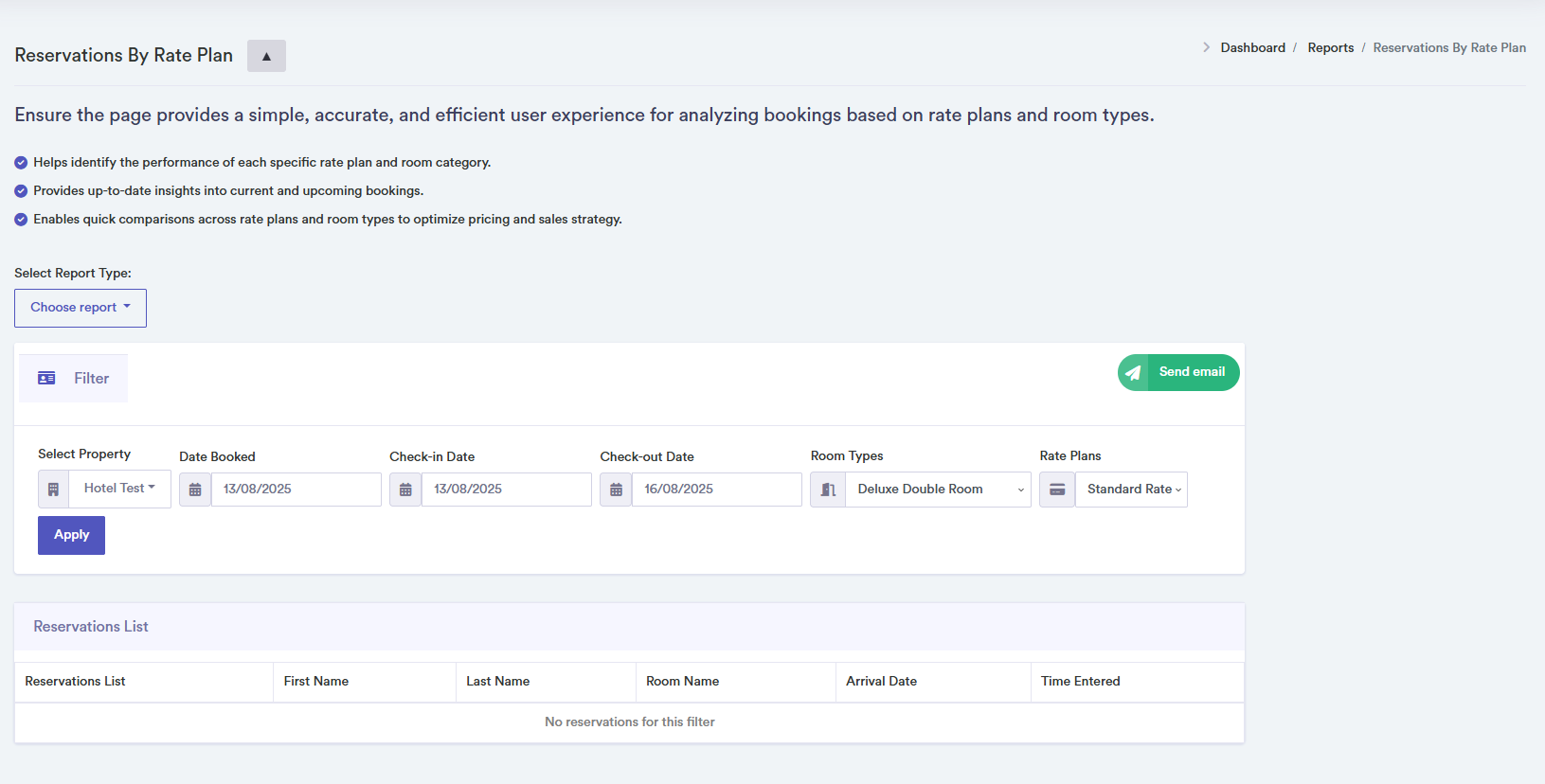
Use this report to analyse reservations based on rate plans and room types. Quickly identify performance per rate plan and room category to optimise pricing and sales strategy.
Steps to Use the Reservations By Rate Plan Report
- Select a property from the dropdown to view bookings for that property.
- Optionally filter reservations by the date they were booked.
- Choose a start and end date to focus on reservations for a specific period.
- Filter by room type to narrow down the report.
- Select the rate plan to analyse bookings under that specific plan.
- Click "Apply" to load reservations based on the selected filters.
- The table displays reservation details: reservation ID, guest first and last name, room, check-in and check-out dates. Click on a row to view full reservation details.
- Confirmation pop-ups appear when data is successfully loaded. Error pop-ups notify you if data cannot be retrieved.
Click on a reservation row for detailed information.