Invoicing - Manage your invoices efficiently

Accurate and organised billing helps you better manage your property's finances. Through your dashboard, you can:
- Use customised formats according to your needs.
- Monitor and control all financial data.
How to customise your invoice format?
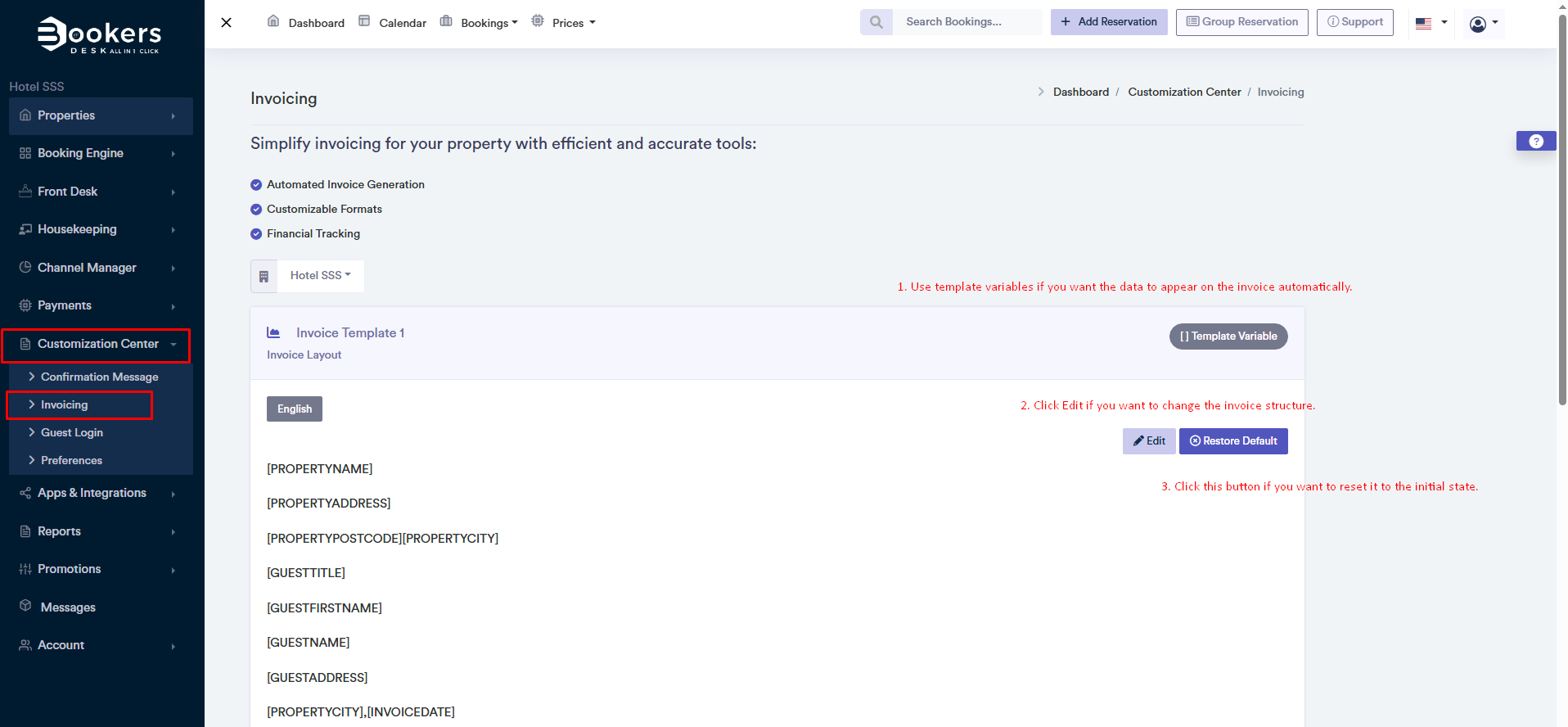
You can customise the invoice by following these steps:
- Go to Dashboard > Customisation Area > Invoicing.
- Click the Edit button to adjust the invoice format as needed.
- Use template variables to automatically insert data such as customer name, date, amount, etc.
- Once changes are made, click Save to keep the updates.
Invoice Logo - Customise the look of your invoice
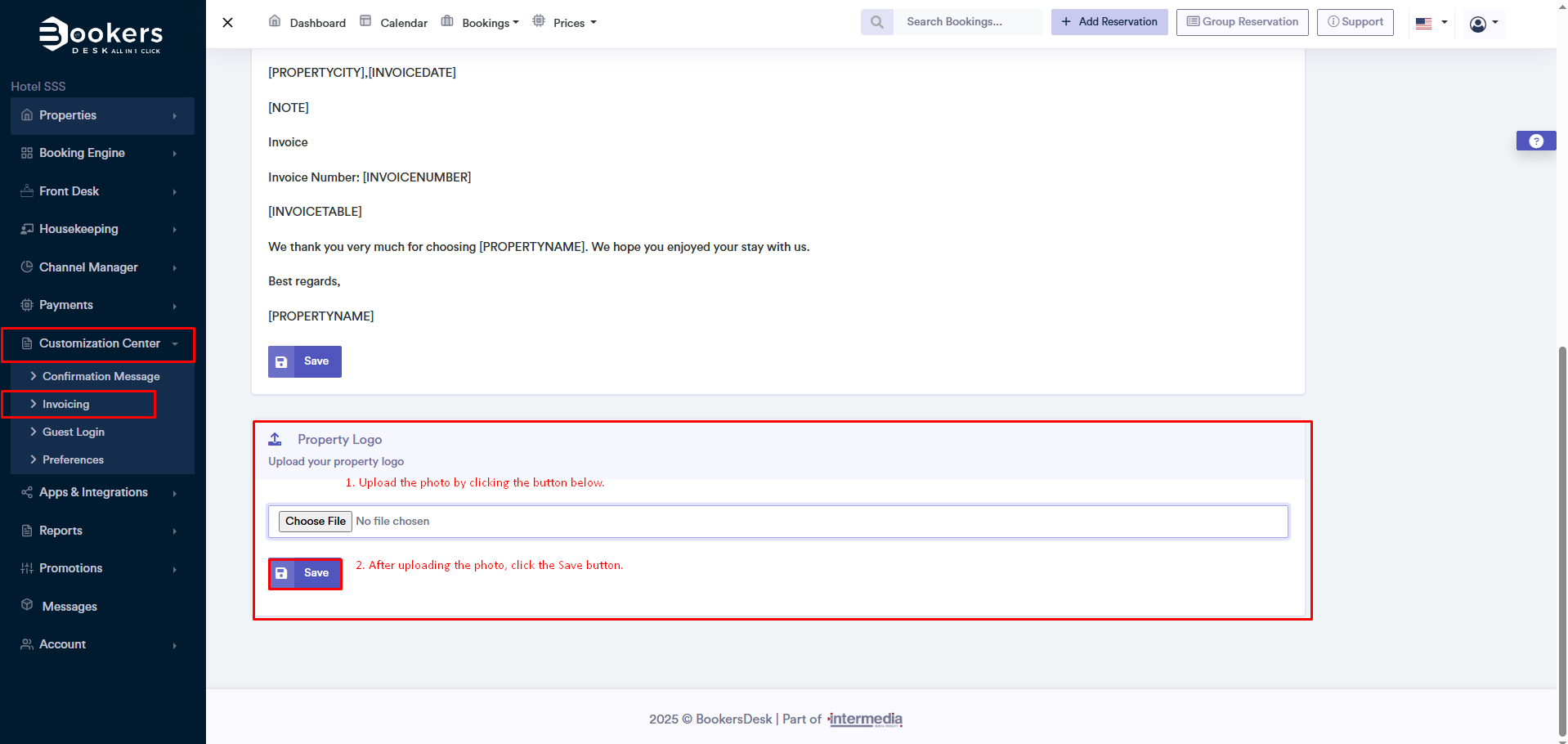
You can add your property's logo to make the invoice look more professional and personalised.
- Go to Dashboard > Customisation Area > Invoicing.
- Click the Upload Photo button.
- Select an image from your device (preferred format: .PNG ose .JPG).
- Click Save and your logo will automatically appear on the generated invoices.
By customising the invoice with your logo, you create a more professional image for your business and provide a better experience for your customers.